
-
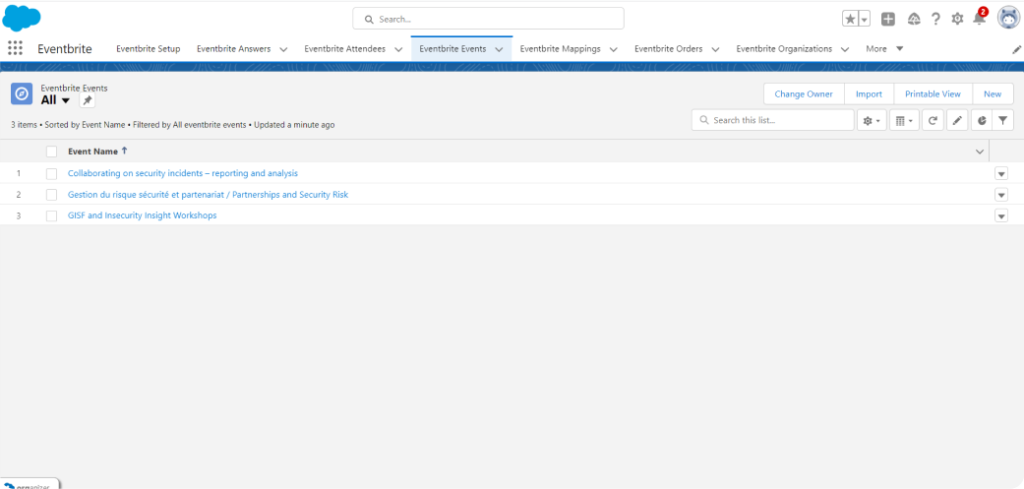
Open any particular event, will redirect you to the event details page✔
-
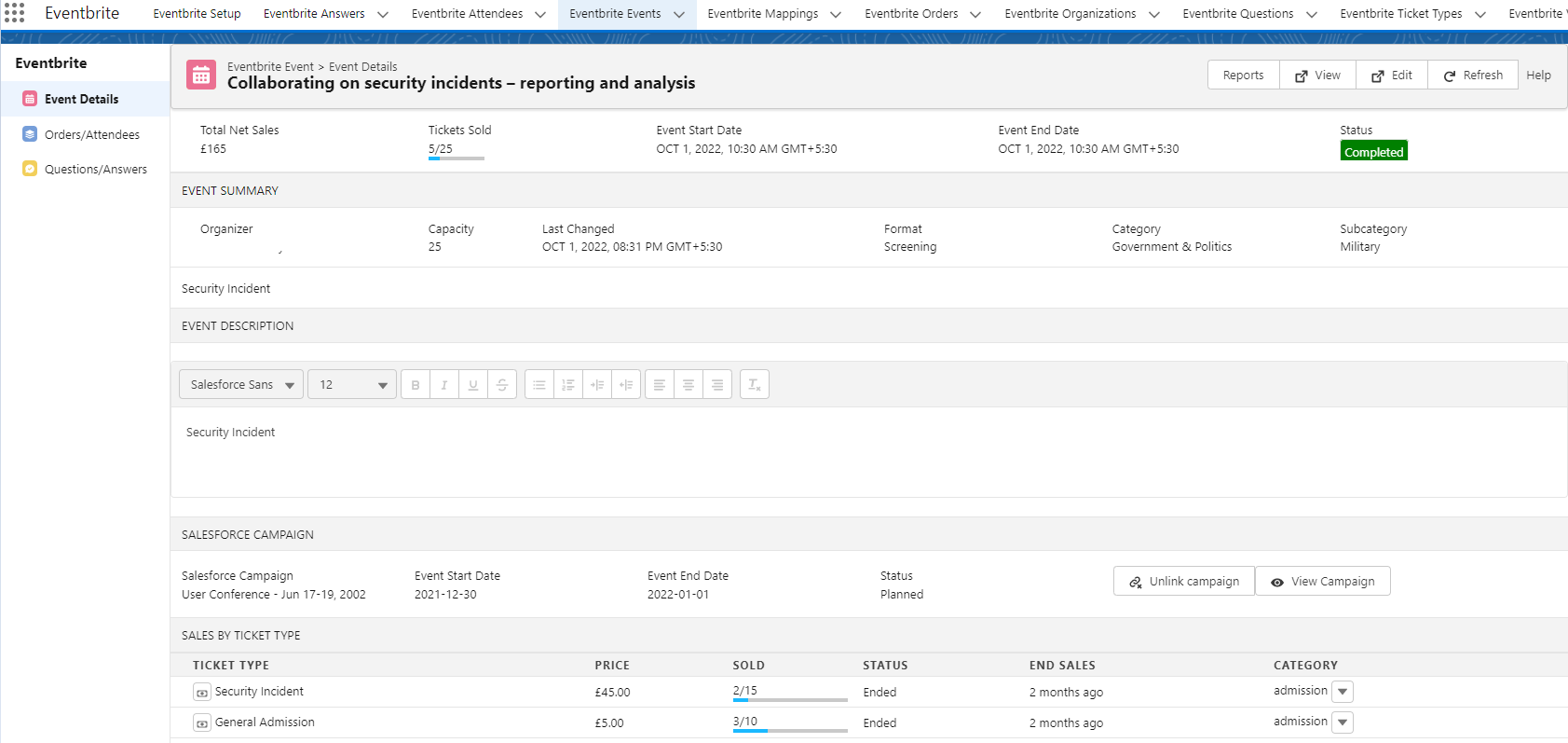
Here you can view Net sales, ticket sales, event start and end date, description and sales by ticket type.✔
-
Under the Salesforce Campaign Section, Here is button named as ‘Link with Campaign’.
 ✔
✔ -
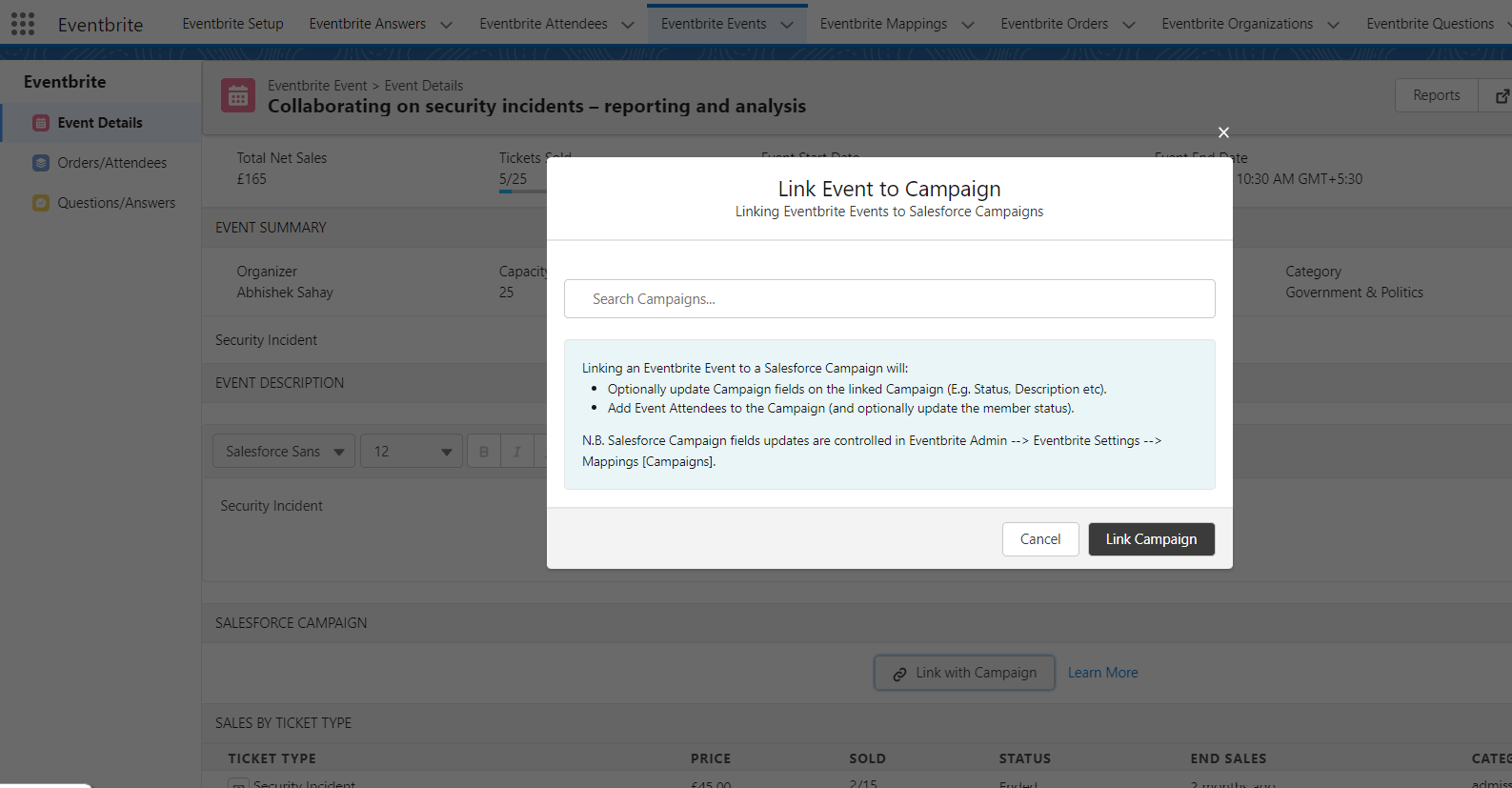
Click on Link with Campaign button, A dialogue box will be open.
 ✔
✔ -
Using the Search box, Can search any particular Campaign and just click on the ‘Link with Campaign’ button. The linked campaign will be display on particular Event. ✔
-
After linking the campaign, By clicking on ‘Unlink Campaign’ button, Can unlink the linked campaign again✔
-
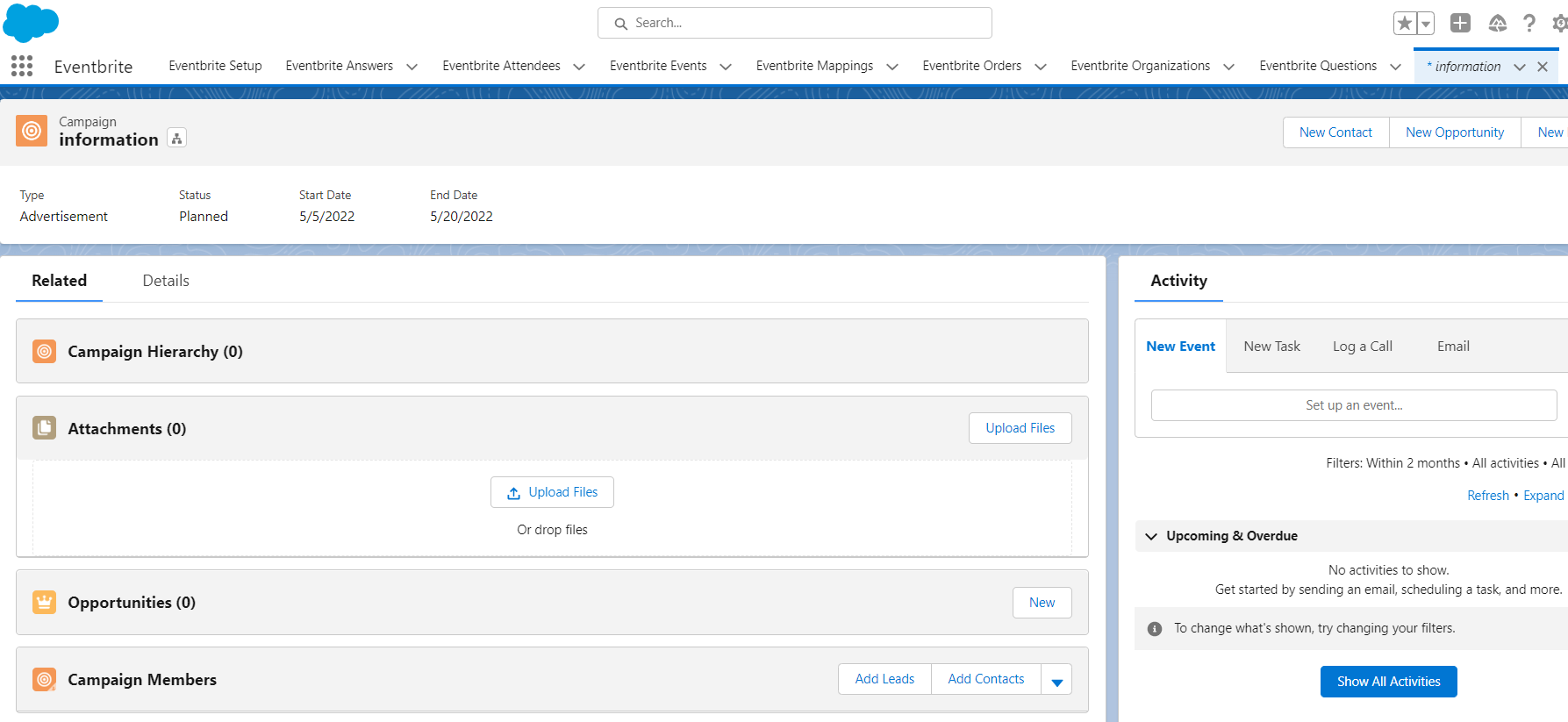
To view the linked campaign, Under the Salesforce Campaign section just click on View Campaign button, It will redirect you to the linked campaign in the salesforce.
 ✔
✔